
Índice
> Home | Create your account | Manage your account | Authentication options
View or download the user guide
Volver arribaChange your password
Change the password associated with your account.
Enter your email address at https://ID.iowa.gov
Select the Next button
Enter your password
Select the Verify button
NOTE: If you selected to add an authentication method, follow the prompts providedSelect your name in the upper right-hand corner
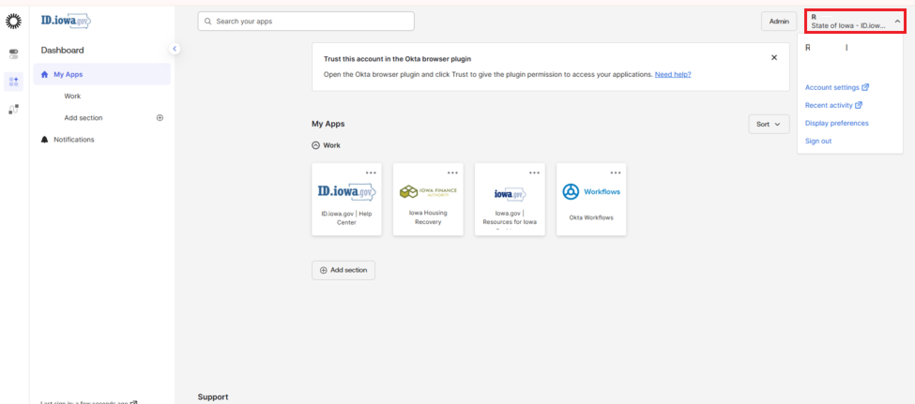
Select Account Settings
If you did not set up Multi-factor Authentication (MFA) when setting up your account, you'll be prompted to set one up.Select Security Methods
Locate Password
Select Update button

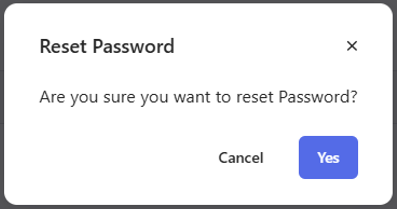
Select Yes
Enter your Current password
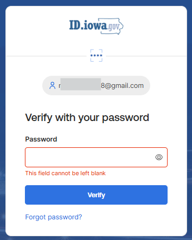
Select Verify
You will be prompted for your MFA
Enter your New password
Re-enter your New password
Passwords must be at least 12 characters and cannot contain part of your username, first name, or last name. There are no other restrictions. You can use more than one word with spaces to get to 12 characters. Try using a phrase or a series of words that is unique to you.
Note: Your ID.iowa.gov password should be different from passwords you use for other accounts such as your bank account or email. Using the same password for many accounts makes identity theft easier.
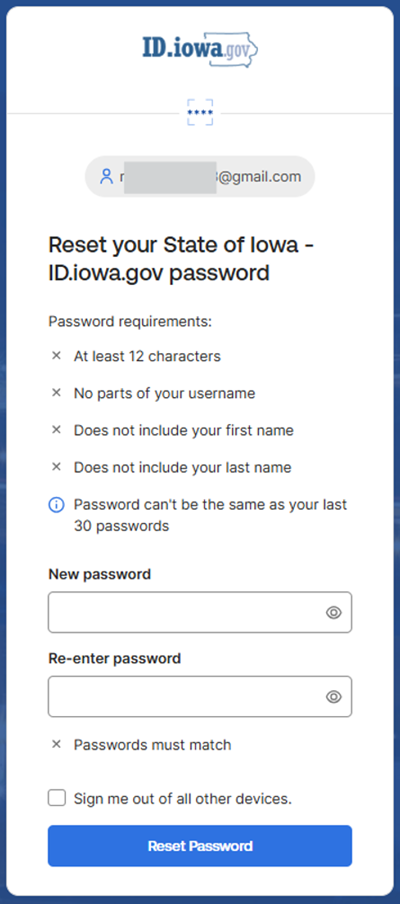
Select Reset Password
Forgot password - Reset your password
Follow these steps to reset your password using your email address.
Go to https://id.iowa.gov/.
Enter your email address
Press the Next button
(You may be promoted for MFA)
If you prefer to verify with your password, select the Verify with something else link. Select Password from the list of optionsSelect Forgot your password?
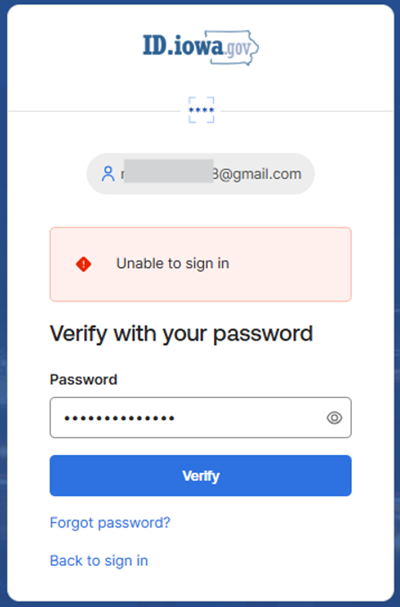
Select the Send me an email button
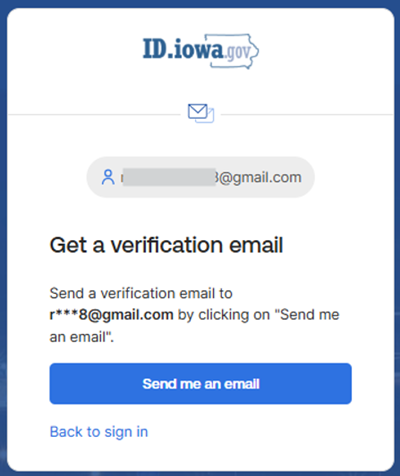
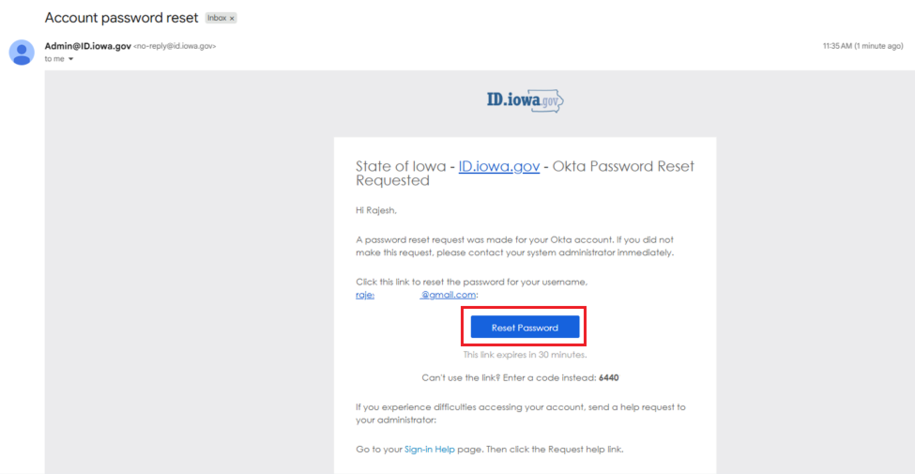
Check your email for a message from [email protected] / [email protected]
Select the Reset password button in the email message. This will take you to ID.iowa.gov
You can copy the code from your email and enter it after pressing the Enter a verification code instead button, then press the Verify button.
Enter your New password
Password can't be the same as your last 30 passwords.Re-enter your New password
Passwords must be at least 12 characters and cannot contain part of your username, first name, or last name. There are no other restrictions. Try using a phrase or a series of words that are unique to you.
Note: Your ID.iowa.gov password should be different from passwords you use for other accounts such as your bank account or email. Using the same password for many accounts makes identity theft easier.
Select Reset Password
Change your email
Change the email address associated with your account. Doing so will also change your username.
Enter your email address at https://ID.iowa.gov.
Select the Next button
Enter your password
Select the Verify button
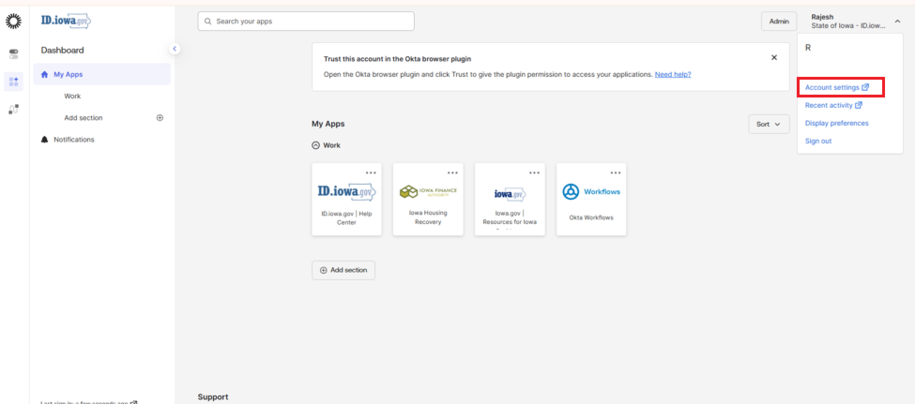
Select your name in the upper right-hand corner
Select Account Settings
Under the Personal details section select the Manage personal details button
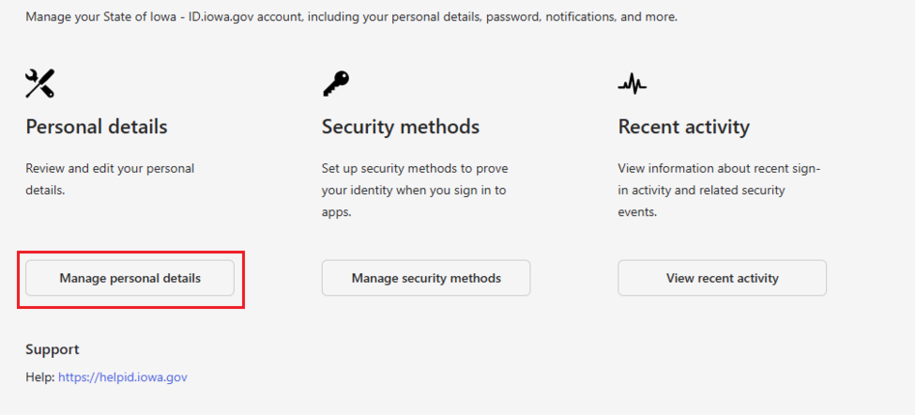
Select the Edit button found in the Personal information section
You may be prompted for your password and MFA again
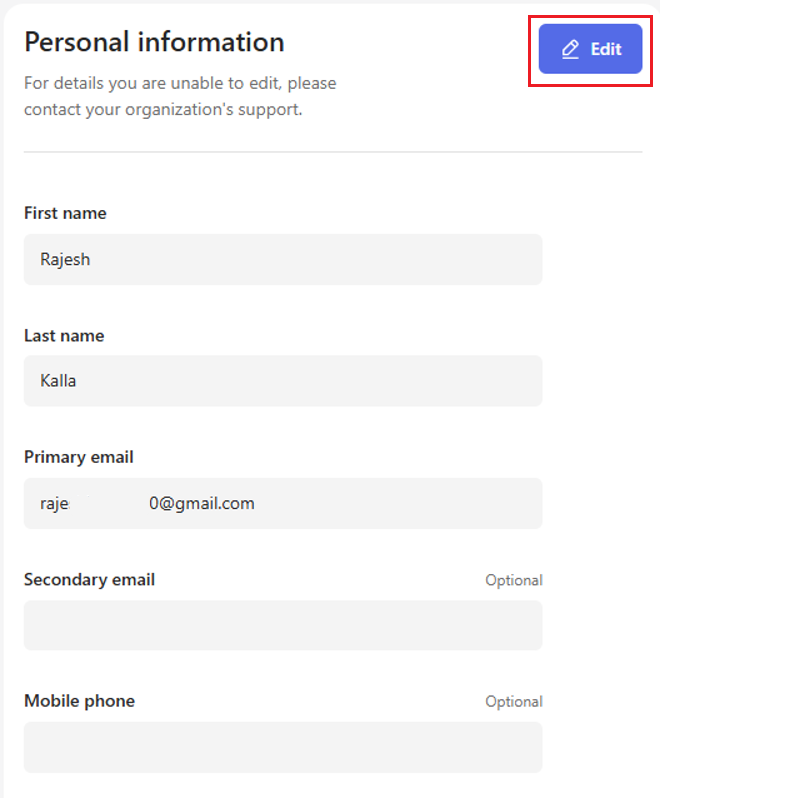
Enter your new email address in the primary email field
Select the Save button
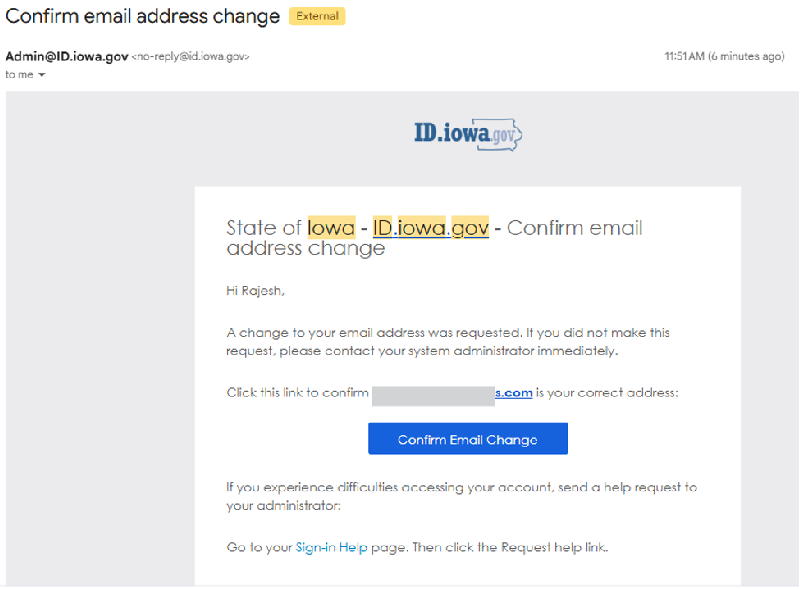
Check your email to confirm email change
Select the Confirm Email Change button
You will see the Email Change Confirmed screen
Enter your previous email address for https://ID.iowa.gov
Select the Next button
Enter your password
Select the Verify button
Email Change Confirmed screen will appear saying You have successfully changed your primary email address from previous email address to new email address.
When you sign into https://ID.iowa.gov going forward, use your new email address. This is your username.
Note: Any correspondence or notifications will be sent to your new email address.
Change your phone number
Change the phone number associated with your account
Enter your email address at https://ID.iowa.gov
Select the Next button
Enter your password
Select the Verify button
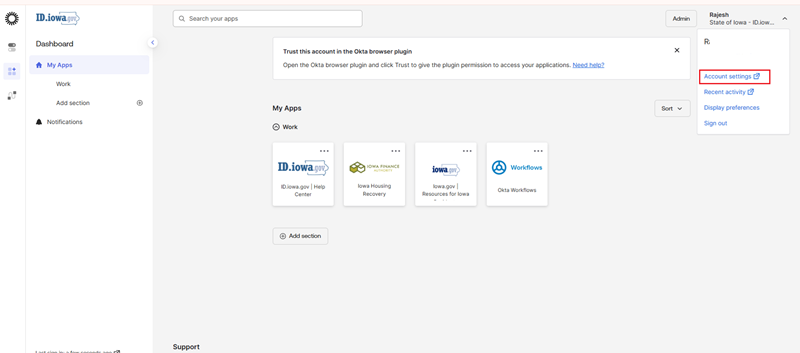
Note: If you selected to add an authentication method, follow the prompts providedClick your name in the upper right-hand corner
Select Account Settings
Under the Personal details section select the Manage personal details button
Select the Edit button found in the Personal information section
Enter your mobile phone number
Select the Save button
Unlock your account
Unlock your log in credentials when locked.
Go to https://id.iowa.gov/
Select Unlock account
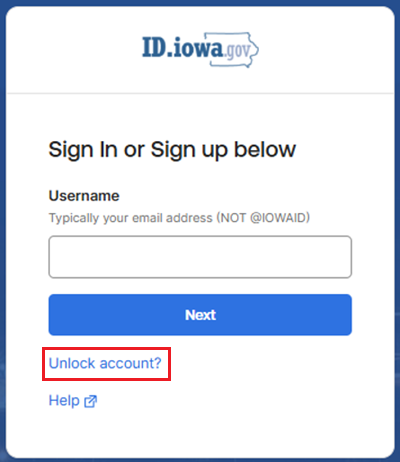
Enter your Email address / username
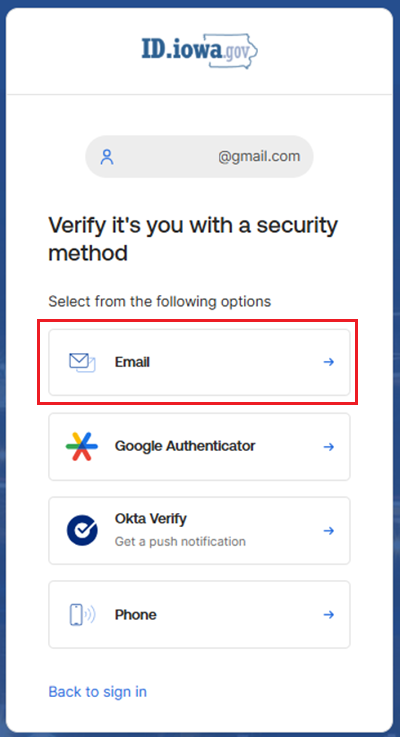
Locate Email and select
Select Send me an email
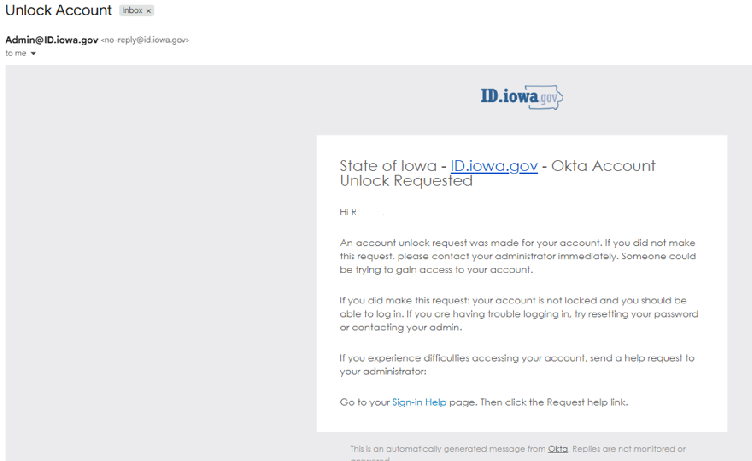
A notification will be sent to your primary email to let you know if your account was locked or not. If it was locked, you will need to click the verification link in the email or enter the code from the email back on the last browser screen
Check your primary email account for a message from [email protected] or [email protected].
Go to https://ID.iowa.gov to log in to your account
Unable to verify yourself? Please contact support.
Get help
Phone: 515-281-5703 or 800-532-1174
TTY: 800-735-2943
Volver arriba